Pages

Subscribe:

Labels

Saturday, November 5, 2011

LIST OF FORUMS NG PWEDENG PAGPOSTAN NG ADS


http://www.symbianize.com
http://www.freeadsplanet.com/
www.pinoyden.com.ph
www.Mukamo.com
www.Forums.seo.ph
www.1kclub .ipbfree .com
www .duyan .com/
www .groovenet .ph
www .hoypinoy .com/
www .kababayan .net/
webpinoy .tripod .com
www .pinoyexchange .com
www.forums .pinoyfactor .com
www .pinoy .net
www .PinoyTown .net
www .talkpinoy .com
www .tambay .epinoy .com
www.websayt .com

LIST NG PWEDENG PAGPOSTAN NG ADS (FREE ADS SITE)


Top 10 Classified Ads Sites

1. Sulit.com.ph -
2. Ayodito.ph -
3. Mapiles.com -
4. ClassifiedAds.ph -
5. cebuclassifieds.com
5. classifiedsph.com
6. PinoyDeal.ph
7. buysellphil.com
8. Finder.ph
9. buysell.ph
10. cebulive.com

The top 10 classified ads and buy and sell sites in the Philippines ranked by Alexa* and TopPhilippineWebsites.com (TPW) as of January 31, 2010

1. Sulit.com.ph -
2. Ayodito.ph -
3. CebuClassifieds.com -
4. Davaosale.com -
5. ClassifiedAds.ph -
6. Mapiles.com -
7. Eksakto.com -
8. classifiedsph.com
9. bili.ph
10. buysellphil.com

Others:
kaliwaan.com
adpost.com
bupus.com
olx.com.ph
classifiedsph.com
wahoy.com
kugli.com
classifiedads.ph
pinoydeal.ph
buysell.ph
finder.ph
yello.com.ph
bayanads.com
librepost.com.ph
yalwa.ph
advertise.com.ph
bili.ph
Shopinas.com
Tipidpc
greatpinoy.com
bilihenyo.com
bargainph.com
hubph.com
classifiedicon.com
cdoclassified.com
locanto.com
 Ebay.ph
inetgiant.com
pinoyprofessionals.com
realfreeads.com
classifiedphilippines.com
baratilyo.com
phlist.com
bahayatbp.com
muamat.com
pinoyadster.com
cebufreeclassifieds.com
classifiedscentral.com
yellophilippines.com
bentaonline.com
pinoyadsonline.com
classifiedsforfree.com
youadlist.com
cebu2ndhand.com
bisdak.net
benta.biz
bilivery.com
free-adsite.com
guavineo.com
photo-classifieds.com
targro.com
freeadsph.com
wantedwants.com
tumano.com
kifaa.com
beatyourprice.com
freeadposting.com
freeadsglobal.com
global-free-classified-ads.com
tipiditems.com
brandywineclassifieds.com
bermuda-classifieds.com
newfreeclassifieds.com
theadsbook.com
adfreelisting.com
classifiedsoo.com
admag.org
adsanddeals.com
thefreead.com
fastfreeads.com
adlandpro.com
domesticsale.com
isell.com
ozfreeonline.com
salespider.com
webcosmo.com
tauque.com
villaricaclassifieds.com
freeadvertisingboard.com
freeadvertisingzone.com
classifieds.co.uk
itsmymarket.com
noflies.com.au
zeezo.com
adsglobe.com
webclassifieds.us
freeadlists.com
sell.com
classifiedads.com
kudzu.com
pedrosplaza.com
adworldclassifieds.com
phclassifieds.com
808classifieds.com
classifieds.ivarta.com
buysellauctiononline.com
freelocalclassifiedads.us
canetads.com
freeukclassifieds.co.uk
hot-web-ads.net
callharry.com
glasgowtimes.com
oc.kaango.com
minimerchant.com
buckeyeads.com
bharatclick.com
buynsellcebu.com
kuripotclassifieds.com
philippines.fiwiclassifieds.com
adsbangalore.com
ablewise.com
freeadvertisingexchange.com
5starads.com
bestwayclassifieds.com
highlandclassifieds.com
adjingo.com
sgfreeclassifiedads.com
classifieds.fruityclassifieds.com
classifieds.atomicbot.com

INTERNATIONAL MONEY MAKING FORUM LIST WHERE YOU COULD POST YOUR ADS


Here is a very useful list of forums for you to get informed about new and old income opportunities, to share your own, to learn about many different topics, exchange payments, etc.
This Forum list will be divided in two :
  1. Money Making Forums Ads friendly all topics related (Hyips, Surfs, MLM, Matrix, Forex, Cyclers, Doublers, Gifting, Advertising, Etc)

Monday, October 24, 2011

How to open a PayPal account

How to open a PayPal account
  • 1. Sign up for an account by visiting the PayPal (CLICK HERE)  website and clicking the “Sign Up” link located at the top-right portion of the page.
  • 2. First, select the Country or Region where you live. Choose the Premier Account Type.
Choosing your country from the drop-down menu opens a page that shows three PayPal account types.
Premier Account and Business Account are merchant accounts used for online businesses.
Confirm your “Language Preference” then click the “Continue” button.
  • 3. Fill up the Account Sign Up Form. Completely and correctly fill in the sections “PayPal Account Owner Contact Information,” “PayPal Account Login,” “Password Recovery,” and “Security Measures” then click the “Sign Up” button at the bottom.
  • 4. You’re almost there! You are now asked to verify your account by adding a credit or debit card. You may choose to add one at this stage or skip this step and move on to the next by clicking the “Cancel” button. Remember, though, that adding a card and enrolling in the Verification Program are necessary to be eligible to withdraw PayPal funds.
  • 5. Almost done! In order to complete the registration, confirm your email address. Do this by checking your inbox for a PayPal email then click the confirmation link there. You may also choose to confirm your email address later by clicking “Continue” in this page.
  • 6. Hurray! You now have your own PayPal account. The Personal Account Overview page will contain your name, email address, and account status.
Congratulations! You now are a certified PayPal account holder!
Do note that unverified accounts have a sending limit of $100. To be able to send without limit, the account must be verified and enrolled in the Expanded Use Program.
How to verify my PayPal account?
Verified PayPal members living outside of the U.S. complete the Expanded Use process by:


1. Confirming their email address
2. Adding a credit card
3. Entering the Expanded Use Number
How to add a credit card to my PayPal account?
  1. Click the My Account tab.
  2. Click the Profile subtab.
  3. Click the Credit Cards link in the Financial Information column.
  4. Click Add.
  5. Fill out the Add Credit Card form.
  6. Click Add Credit Card.
  7. You have successfully added your credit card to your PayPal account.
How to enroll in the Expanded Use Program?
  1. Upon adding your credit or debit card, complete the Expanded Use enrollment wherein PayPal charges your card a small fee ($1.95).
  2. CALL YOUR CUSTOMER SERVICE RIGHT AWAY  AND ASK FOUR THE PAYPAL CODE PP1234
  3. Log in to your PayPal account and click the Complete Expanded Use Enrollment link on the Account Overview page to complete your enrollment.
It usually takes 2-3 business days for the PayPal Expanded Use Number to appear, depending on the issuing bank. If you do not have online access to your statement, wait until you receive your physical statement to check your four-digit PayPal Expanded Use Number.
Spread the word and invite others to open a PayPal account now! (CLICK HERE)


How to Create a Yahoo! Mail Account


Instructions


    • 1

      Go to https://login.yahoo.com/config/mail in your Internet browser and click on the blue “Sign Up” link provided in the “Don’t have a Yahoo! ID?: Singing up is easy” box. This section is circled in red in the image and accompanied by an arrow.
    • 2

      Fill out your personal information in the top section and then choose a mail ID (circled in green). To do this, keep trying different screen names until you find one that is available. Yahoo! will suggest unused names as possible choices if the one you choose has been taken already. In the drop-down, you can also choose between yahoo.com, ymail.com and rocketmail.com as your mail server.
    • 3

      Scroll down the same page and choose a security question (in case you forget your password) and reproduce the black code exactly as you see it (circled in blue). Once you are satisfied, click on “Create My Account” (circled in green and accompanied by an arrow for the caption). Your account will be created if everything has been filled out correctly!


Saturday, August 27, 2011

List of methods to withdraw PayPal in the Philippines


Based on personal experiences posted by dozens of PayPal Philippines users, this post summarizes the different ways of withdrawing Paypal in the Philippines.
Our list is not limited to debit and credit cards alone. We also gathered information regarding a few non-traditional methods of converting PayPal funds into cash.
Possible Methods of Withdrawing PayPal in the Philippines 


Method/ServicePossible to Withdraw?Fund Transfer Type
UnionBank EON/eWalletYesDeposit to bank account (ATM)
Citibank VisaYesCash Advance or Over-payment Cheque
Citibank MasterCardYesCash Advance or Over-payment Cheque (?)
HSBC VisaYesCash Advance
Standard Chartered VisaYesCash Advance (?)
Metrobank VisaYesCash Advance
EPCI Bank Visa ElectronYesDeposit to bank account (ATM)
Xoom.comYesDeposit to bank account or Cash Pickup
Chikka.comYesLoad credits convertible to cash (?)
Scriptlance.comYesWithdrawn as e-gold convertible to cash
ATM cards w/o Visa/Mastercard logoNo-
BDO Debit card w/ Mastercard logoNo-
BDO MastercardNo-
ChinaTrust VisaNo-
Globe G-CashNo-

Saturday, August 6, 2011

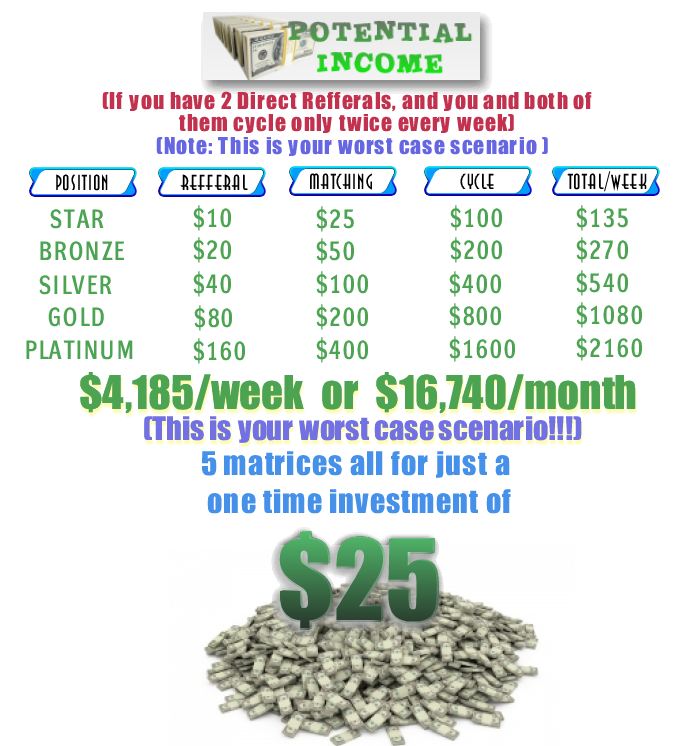
EARN $16,740 A MONTH MINIMUM ONLINE


THE NEXT MILLIONAIRE MAKER
The name will speak fot itself!!!

Guys ito ang pinakabago at pinakamalupit na online opportunity ngayon
 maganda na magjoin na ngayon at invite na agad pioneer ka dito.

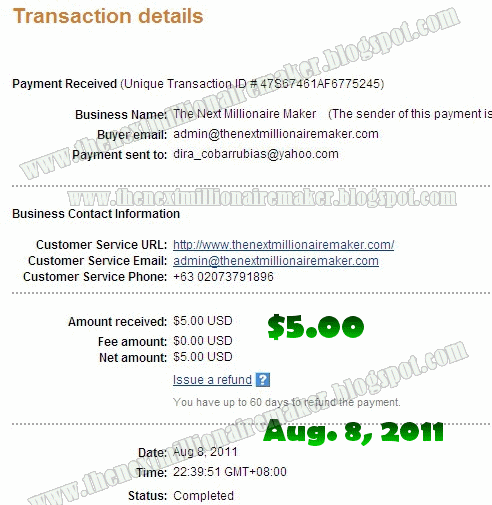
 PAYMENT PROOFS
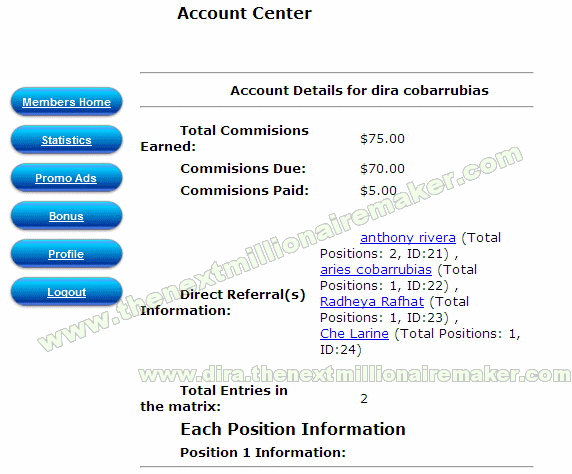
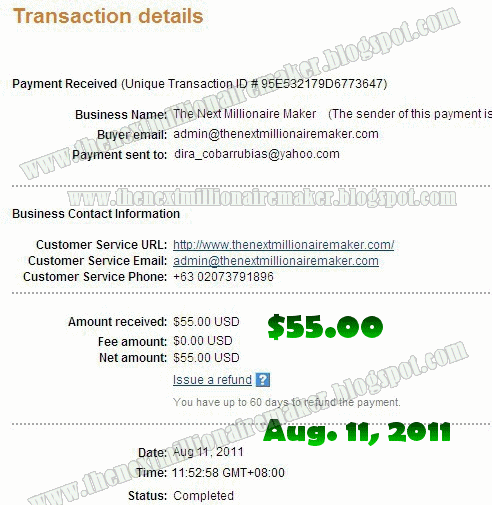
this is my payment (instant daily)

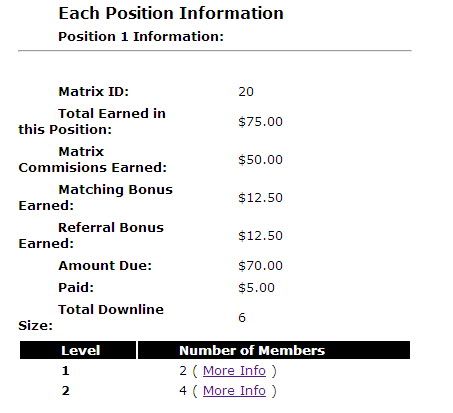
this is how it looks at yur members area
this is my second payment for my cycle and two new direct referral 
POWER TALAGA!!

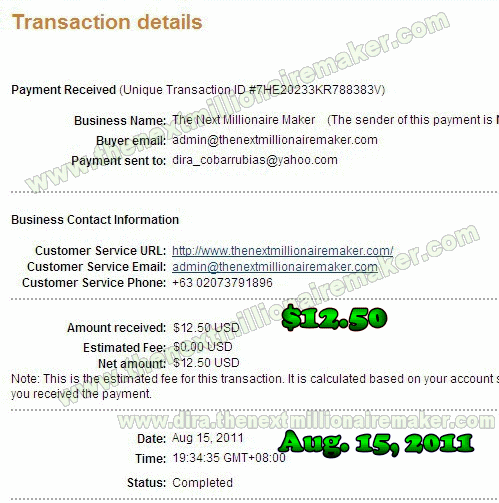
my new payment proof for my matching bonus

HOW DOES IT WORK?

earn online,negosyo,usapang negosyo
  • You can use your referral link to find people.

  • You can make spillover if the positions of your sponser are filled.

  • Your downline can sent you members, we call that spillunder.

  • Your direct referrals will follow you into your new matrix when they have cycled.

  • You can have a new membership(new entry -- same name with a different email and id).

All this can help you to cycle faster and make more money

You join our program for only $25.00, and you're entered into the Star Level Matrix.  
At NO additional out-of-pocket costs, you can CYCLE into the Bronze, Silver, Gold, and Platinum Level matrices. That's the beauty of our AUTOMATIC upgrade system. 
Each matrix level pays a higher commission. 
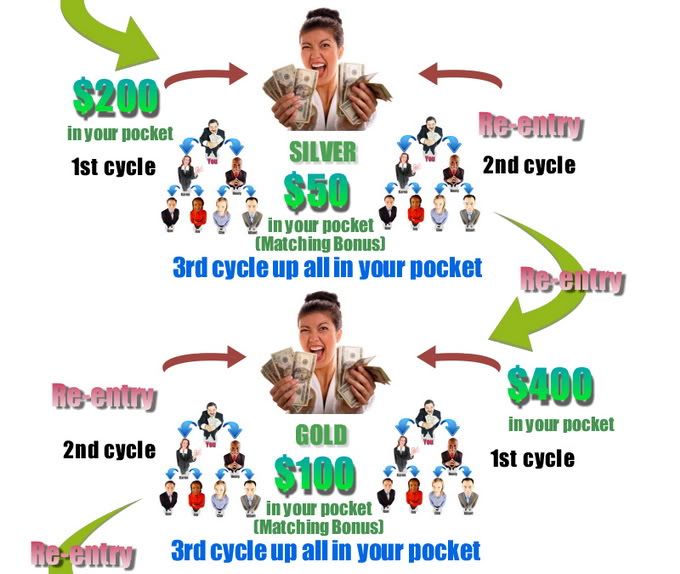
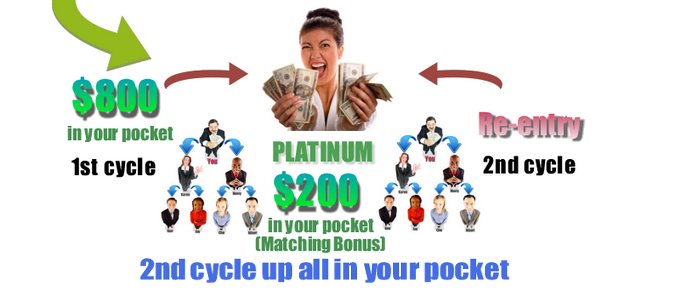
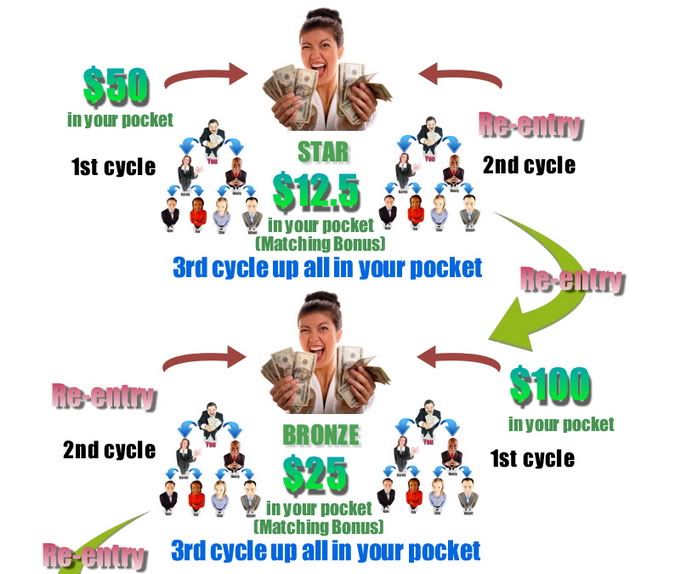
You'll earn $50 to $800 per CYCLE plus a Matching Bonus on personal referral cycles and refferal commissions not just once but everytime your direct refferrals cycles. 
So the more you sponsor direct the more you earn.


MATRIX LEVEL COMMISSIONS


Star Level --$25 Entry, pays $50 per cycle and $12.5 Matching Bonus plus Direct Refferral $2.5
Bronze Level -- $50 Entry, pays $100/cycle and $25 Matching Bonus plus Direct Refferral $5
Silver Level --$100 Entry, pays $200/cycle and $50 Matching Bonus plus Direct Refferral $10
Gold Level -- $200 Entry, pays $400/cycle and $100 Matching Bonus plus Direct Refferral $20
Platinum Level - $400 Entry, pays $800/cycle and $200 Matching Bonus plus Direct Refferral $40
NOTE: Direct Refferral bonus -- earn not just once but everytime your direct refferal cycles.


We pay on your First cycle to put CASH in your pockets. Your second cycle commission is used to fund your placement into the Next Higher Level. This process continues until you reach The Platinum Level. After the Platinum Level cycle, you'll have 5 matrices that cycles automatically. It's a chain reaction. You can continue cycling in each matrix level FOREVER.
 millionaires,earn online usapang negosyomillionaires,earn online usapang negosyo
millionaires,earn online usapang negosyo


What's the difference with others?


1. Low mebership fee of $25 only kaya lhat pwede
kaya makarating ka pa din sa malaking kitaan matrix khit $25 lang investment mo.


2. Wala na kelangan abutin na position para makuha ung $50 dollars na matching bonus
or binary bonus basta ngcycle both sides kita agad.


3. Di ka kikita sa isang matrix lng kundi sa limang matrix one time $25 dollars lng
kikita ka na ng $50, $100, $200, $400, $800 sa lhat ng matrix per cycle $1,550 
kaya kesa magmember ka sa 4000 or $100 invest mo na lng dito 4 name bilin mo
ang kagandahan magcycle ka 4 times 
$1,550 x 3 = $6,200 per cycle 
POWER PAYAMAN KA TALAGA DITO.


4. $50, $100, $200, $400, $800 
its pure cash  di katulad sa iba $277 pero $100 products 
eto pure cash bahala ka na bumili ng gusto mo.


5. Sa iba one time ka lang kikita sa direct refferal 
dito everytime magcycle ung tao mo may direct refferal ka pa din lifetime hanggang nagcycle ung tao mo.
kaya kesa magmember ka sa 4,000 or $100 invest mo na lng dito  
times 4 din ang direct referral commission mo sa lhat ng 5 matrices.


6. Pure online wala ng homeparty punta sa ofis etc.. 
kasi ang laki ng gastos dun kung gumagastos ka ng 60 pesos per day times mo ng 20 days na lng
1200 un  per month dito na wala na its pure online.


7. 
<a href="http://www.thenextmillionairemaker.com/?id=2" target="_blank"><img src="http://www.thenextmillionairemaker.com/images/banner2.gif" border="0"></a>
pg nglogin ka na sa account may mkita ka na mga promo ads na pwede mo gamitin sa blog mo 
pang email sa friends mo pang post sa facebook may specific id number na kasama kya pg na iclick
ng friends mo at dumiretso sa site under sya syo kahit tulog ka syo sya papasok .


8. mabigyan ka ng sariling subdomain site as advertisement na pwede mo din ipost sa facebook mo
 or email sa friends mo lhat ng ads dun specific no. mo nakalagay like this
http://www.dira.thenextmillionairemaker.com/
Power kaya kikita ka habang nagfafacebook...
 online business mo na to basta masipag ka lang maging millionaire ka.


9. ang products natin ay mg tutorials and extra knowledge like ebooks, videos, graphics software na pwede mo ibenta 
because you have resell rights, master resell rights at private label rights which cost $10-$50
(igoogle mo lang  para malaman mo sinasabi ko)
all are free for you and pwede mo din aralin because karamihan dito is kung paano ka kumita online, 
ibat ibang paraan pag kita online kaya asa bahay ka lang or shop habang ngcocomputer ka or facebook yayaman ka na.
THIS IS THE NEW TREND ONLINE BUSINESS, LAOS NA OFFICE --OLD SCHOOL NA  MAGASTOS PA.


JOIN KA NA SA TEAM NAMIN  
MILLION DOLLARS TEAM
WILL SUPPORT YOU ALL THE WAY HANGANG KUMITA KA 
WILL GIVE YOU THE TIPS AND TRICKS ON HOW TO DO THIS  CORRECTLY
TULUNGAN DITO SA TEAM NAMIN. 


Indira Cobarrubias
09061754886 / 09473262255/09225591793
cobarrubiasindira@yahoo.com

 
ATTENTION TO ALL MILLION DOLLARS TEAM:
 To those people who dont have alertpay or paypal you could deposit your payment thru 


 SMART MONEY,(HOW TO OPEN CLICK HERE)
GCASH, (HOW TO OPEN CLICK HERE)
CEBUANA LHUILLIER, (GO TO THE NEAREST OUTLET)
WESTERN UNION, (GO TO THE NEAREST OUTLET)
LBC, (GO TO THE NEAREST OUTLET) 


Then after paying, fill out this form and send it to my email or text it to me.
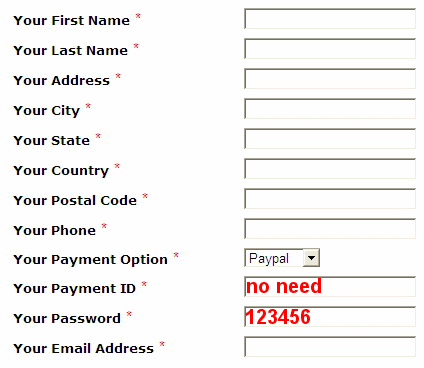
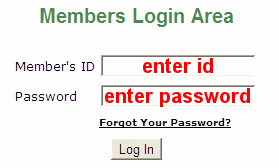
Then you will recieve an email with your members id and password 
just go to click login and enter it.
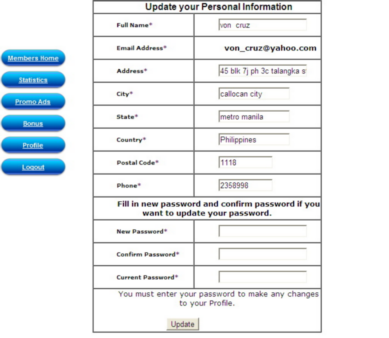
You will be directed to your members area just click profile 
and change password and other details there.
That's it your done!!!
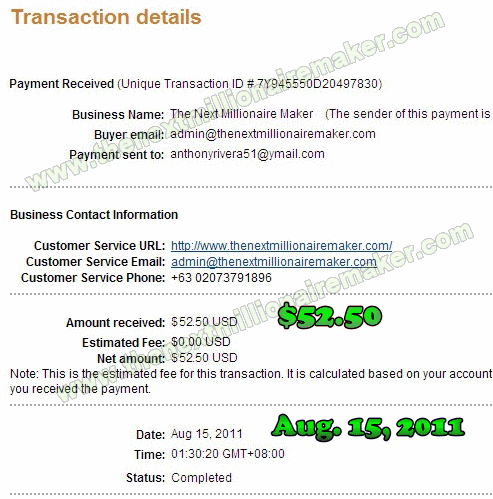
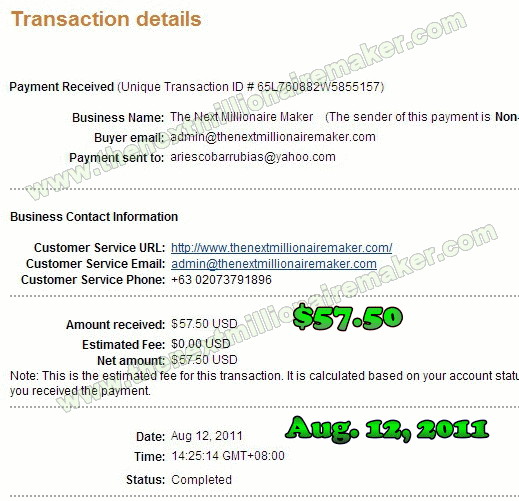
eto ung proof ng  dalawang direct ko na nagcycle na din power tlaga

eto ung una:


eto ung pangalawa:


kaya huwag na kyo mgpahuli sieze the opportunity and

tadtarin natin ng proofs ang sulit!!!


Friday, August 5, 2011

Link Unionbank EON Card to AlertPay | Guide


What is Alert Pay?


It is an affordable account-based system allowing just about anyone with an email address to securely send and receive online payments with a credit card or e-wallet. As an AlertPay member, you can send and receive money, manage a business, exchange currency, earn money through referrals, and pay multiple people at one time. It's a great alternative to Paypal and it's very common in PTC (Pay-To-Click) sites as a method for payout. There are also some shopping sites online that accepts payment through AlertPay. It's easy to set-up an account and all you need is an active email account together with your bank card account for verification. See? It's almost the same with PayPal. Now, I'll show you how to setup an account with AlertPay and verify your account through Unionbank EON Card.

1. Register for free in AlertPay.com. Choose Personal Starter as account type if you're just going to use it for online shopping and receiving money. For further information, click here.

2. Verify your email account.

3. Now, you need to verify your account using your EON Card. To do that, just click "Check your verification status" under My Account. You'll see three options to validate your account. Choose Option B (Credit Card Validation).

4. Type in your card information: 16 digit Card Number, Expiration Date and the 3-digit CVV/Security Code at the back of the card. Confirm it.


5. Now, go to your online banking account and check the Last 10 Transactions. You'll see something like this:


The verification code provided was 8663. You can just copy-paste this one. Please take note that it will take 2-3 business days before you can see the verification code from your online banking account.

6. Go back to your Alert Pay account (My Account - Profile - Verification - Credit Card Validation). Enter the verification code.


7. Congratulations! You're Alert Pay account is now activated. Now, you're ready to shop online, send and receive money.